Berkeleytime
At a glance
- Role
- Product designer, scheduler redesign lead
- Team
- 4 engineers
- 1 PM
- Timeline
- May to Dec 2025
- Platform
- Web
I led the redesign of the Berkeleytime scheduler, the tool 20K+ Berkeley students use every semester to plan their classes.
I started by surveying students on where course planning breaks down, then shipped the redesigned scheduler as a beta in one month. 90% of beta users prefer it to the old one.
Context
One place to plan a Berkeley semester
Berkeleytime is a student-built course planner for UC Berkeley, with the class catalog, grade distributions, enrollment data, and a scheduler in one place.
The scheduler was the hardest part to navigate. Finding a class happened in one place, while its grades and seats lived somewhere else. Discussions and labs were tucked inside each class, so clashes were easy to miss. And there was no simple way to try a different plan without rebuilding the one you had. With a new version of Berkeleytime on the way, it was the right moment to rethink the scheduler from the ground up.
Research
Asking students where planning breaks
I wanted to hear it from students first. I shared a short survey through Berkeleytime and banners around the site, asking how students plan a semester, which tools they jump between, and where they get stuck. Over two weeks, responses kept coming in, and I followed up by talking with a few students in person.
Picking a class means checking three pages
Before adding anything, students opened grades and enrollment in separate tabs to decide if a class was worth it.
Conflicts show up too late
Discussions and labs were easy to miss, so students often found clashes only after committing to a plan.
Trying a new plan means losing the old one
To test an alternative, students screenshotted their schedule or rebuilt it from scratch.
Root cause
Planning a semester is really comparing options, but the old scheduler only held one plan at a time and hid the information students compare with.
Solution
Three decisions that shaped the scheduler
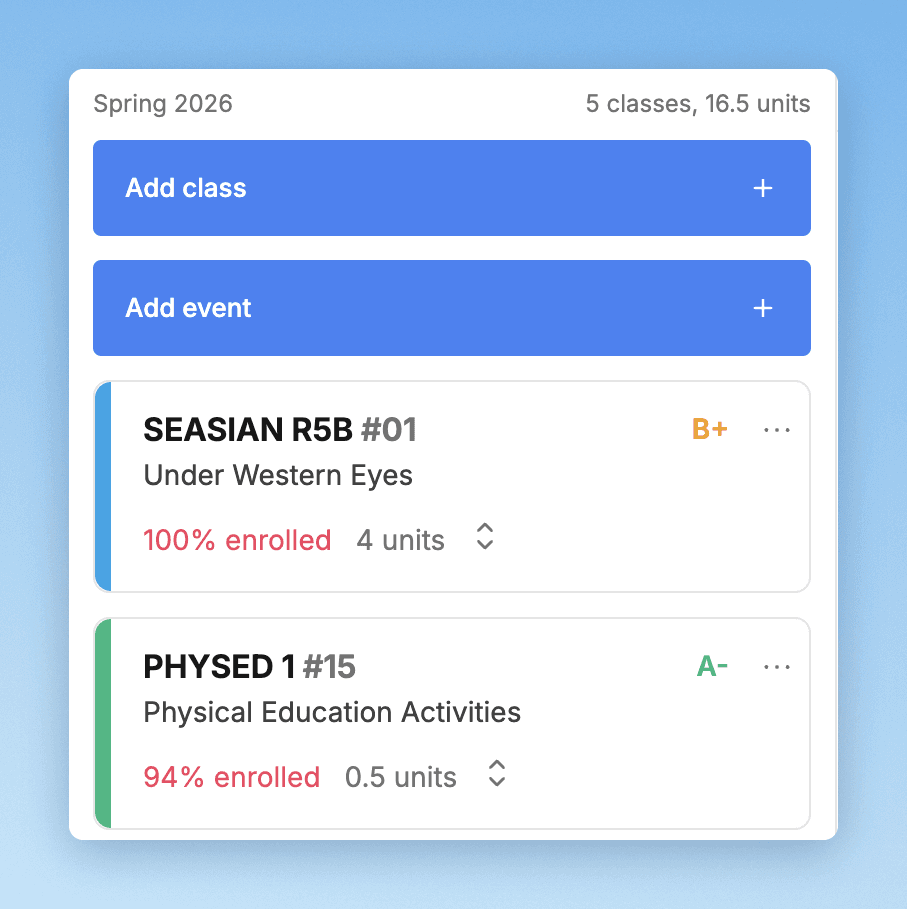
Grades and seats on every class
Students were already deciding with grades and enrollment, just in other tabs. Putting the average grade and how full a class is right on its card lets them judge a class in the same place they add it, so no more checking three pages.
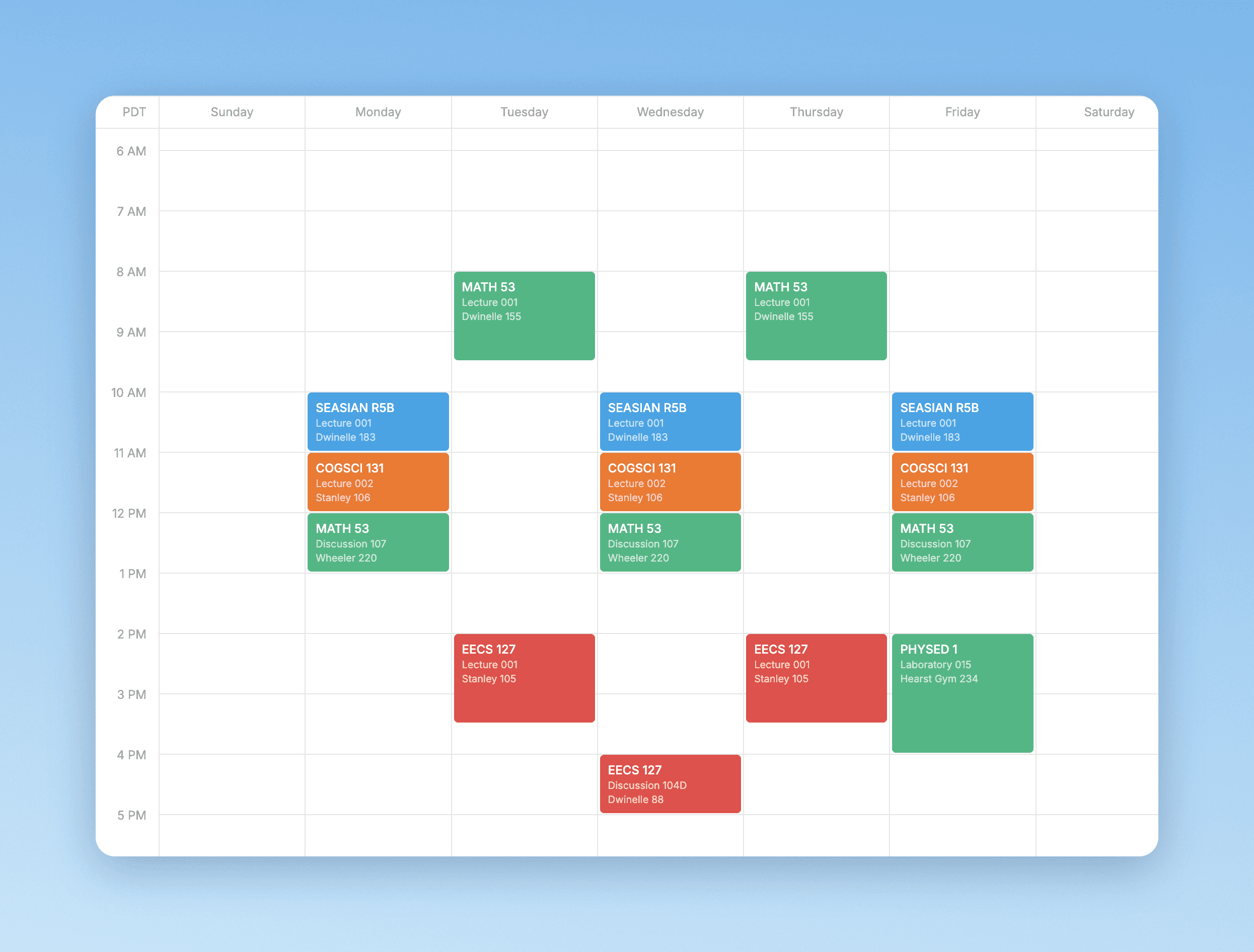
The whole week before you commit
Every lecture, discussion, and lab now sits on one color-coded week, so clashes show up while you’re still choosing instead of after. It replaced a view where sections were hidden inside each class.
Try a plan without losing the one you have
Before, testing an alternative meant screenshots or starting over. Generate, Compare, and Clone existed in early forms, so my job was redesigning them to be easy to find and use together. Generate builds possible schedules from your classes, Compare puts two plans side by side, and Clone copies a plan so you can experiment freely.
Outcome
Shipped in a month, preferred by 90%
- Students every semester
- 20K+
- To beta
- 1 month
- Beta survey responses
- 400+
- Prefer the redesign
- 90%
Before launch, I ran usability tests with Berkeleytime members from other teams, so the flows got fresh eyes from people who hadn’t worked on the scheduler. We released the beta in June, and 90% of 400+ beta survey responses preferred the redesign. We worked through that feedback and added smaller details like hiding classes before the full launch in September, then I kept iterating through December.
Reflection
Every feature has to earn its place.
The hardest part was holding back. Every round of feedback gave me new ideas, but a scheduler flooded with features stops being easy to plan with. I learned to check each idea against one goal, helping students build a semester they feel sure about, and to save the rest for later. Next time, I’d write that goal down on day one and share it with the team, so we could prioritize together faster.