Jesslyn RuswanMade
About

Sections

  1. Overview
  2. Clips
    • How it works
    • Loading state
  3. Video editor
  4. AI chatbot
  5. Prompt to Video
  6. Components
  7. Raw video editor
  • Email jesslyn_ruswan@berkeley.edu
  • LinkedIn (opens in a new tab)
  • GitHub (opens in a new tab)
back
StoryPrototypes
  1. Overview
  2. Clips
    • How it works
    • Loading state
  3. Video editor
  4. AI chatbot
  5. Prompt to Video
  6. Components
  7. Raw video editor
  • Email jesslyn_ruswan@berkeley.edu
  • LinkedIn (opens in a new tab)
  • GitHub (opens in a new tab)

Mirage: prototypes

From a long video and one prompt to 21 ranked clips (open in the story)

Overview

A new prompt adds a group, so no clip you liked is lost (open in the story)

How it works

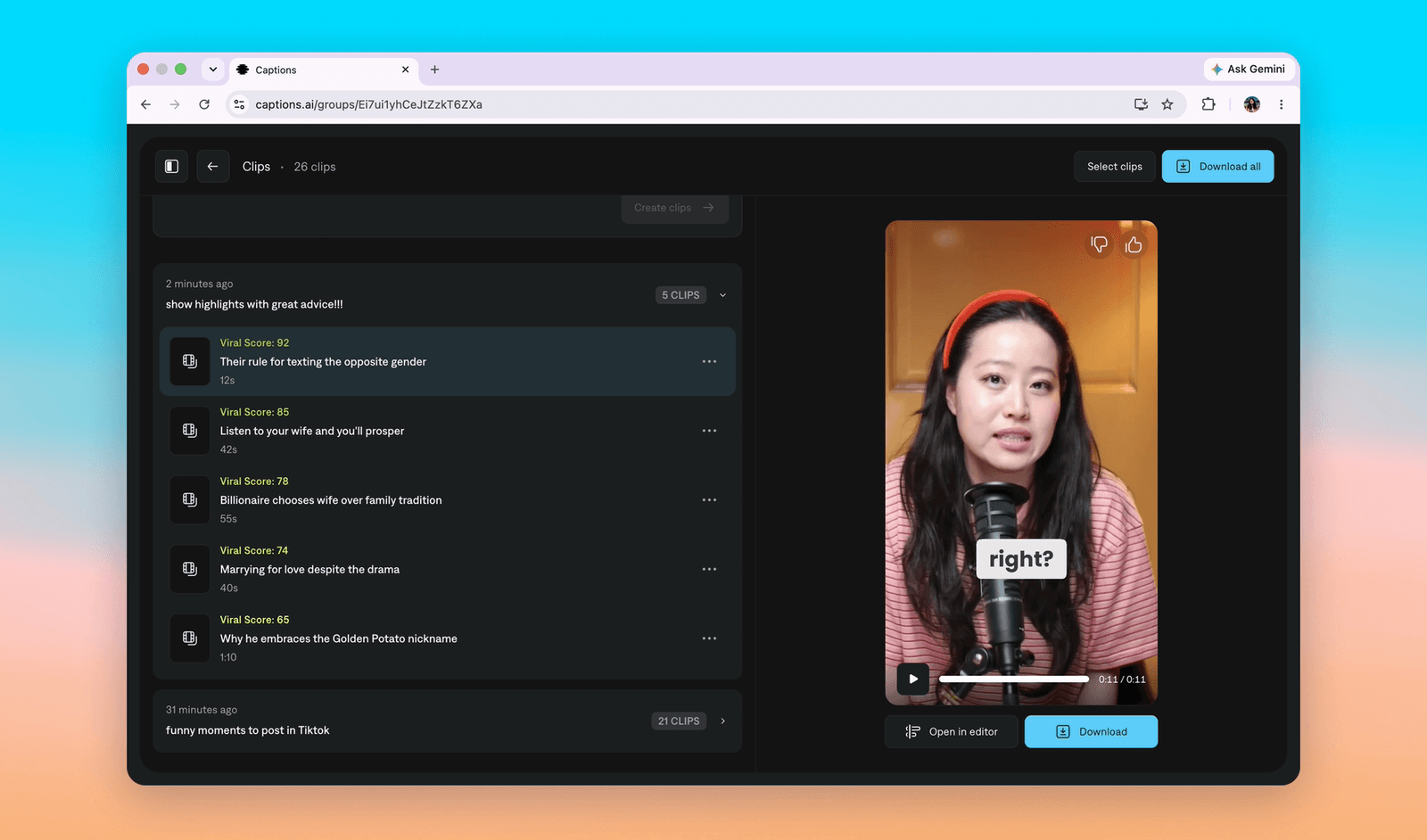
Clips results: a group of 5 clips ranked by Viral Score from 92 down to 65, each with a title and duration, a collapsed group of 21 clips below, and the selected clip playing on the right
Clips ranked by Viral Score, so picking is a quick scan (open in the story)

How it works

The wait shows each moment being found, not a spinner (open in the story)

Loading state

Docked panels keep the timeline clear while you edit (open in the story)

Video editor

Lasso the thing you mean instead of describing it (open in the story)

AI chatbot

Replies show each step, so you know what changed (open in the story)

AI chatbot

Generating a video now happens right inside the chat (open in the story)

Prompt to Video

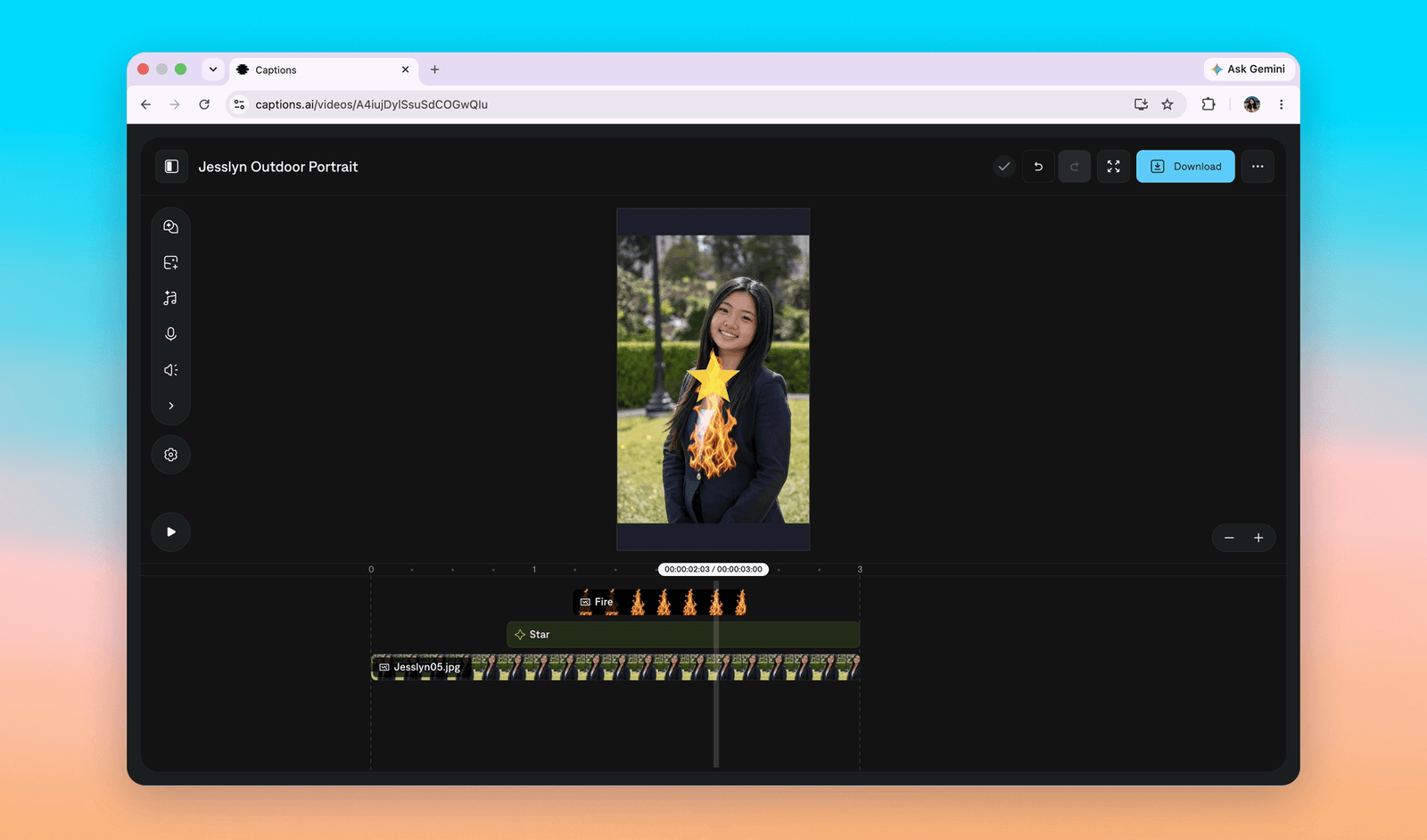
The editor with a group of elements on the timeline: a Fire effect, a Star, and a photo
A saved group becomes a component you can reuse anywhere (open in the story)

Components

Live prototypejeje-finpro.vercel.appOpen in a new tab↗
The raw video editor prototype
Open the prototype ↗
A live prototype: one prompt box that edits the footage itself (open in the story)

Raw video editor

← Everything I’ve madeNext case studyNunchux
StoryPrototypes